An old office chair rarely fails in one dramatic moment. More often, it slowly changes your working day. The seat foam flattens. The backrest leans unevenly. A wheel sticks beside the desk. Small problems become repeated posture adjustments.
Why should you replace your old office chair? The answer involves comfort, safety, and work quality. The World Health Organization reports that musculoskeletal conditions affect approximately 1.71 billion people worldwide. This figure includes many causes, not office chairs alone. Still, it shows why daily posture deserves serious attention. A chair that leaves pressure behind your thighs or causes shoulder tension should not be ignored.
Professional guidance also supports regular workstation reviews. The U.S. Occupational Safety and Health Administration recommends adjustable chairs, supported lower backs, and feet resting securely on the floor. ANSI/BIFMA X5.1 establishes performance and safety requirements for general-purpose office chairs. However, it does not promise a fixed replacement date. That matters. A lightly used chair may last longer than one used eight hours daily.
Look closely. Does the height control slip during the morning? Does the cushion stay compressed after you stand? Does the base wobble when you reach for a file? These are practical warning signs. My first assumption was that visible damage mattered most. It does not always. Hidden loss of support can be harder to notice, yet more disruptive. A replacement decision should consider condition, usage, adjustability, and recurring discomfort—not appearance alone.
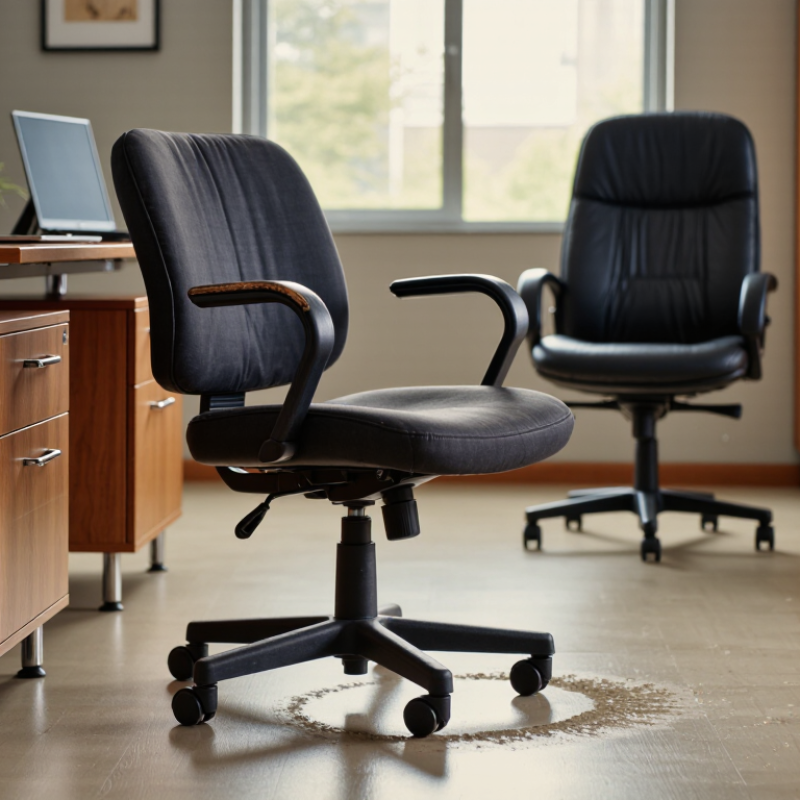
How to Know When to Replace Your Old Office Chair?
What an Office Chair’s Lifespan Depends On
An office chair’s lifespan depends on more than its calendar age. Daily use, user weight, movement, cleaning, and room conditions all affect its working life. A chair used eight hours daily wears faster than one used occasionally. Constant leaning, rolling, and height adjustments also stress the mechanism.
Construction quality matters. A strong frame may remain safe while foam becomes flat and uncomfortable. Fabric can tear, but deep cracks, loose fasteners, or unstable wheels deserve quicker attention. Check whether the backrest stays firm and the seat remains level. If the chair sinks during work, its lifting mechanism may be failing.
No chair lasts forever.
Maintenance can extend useful service. Tighten loose screws, remove dust from the wheels, and avoid placing excessive weight on the armrests. Keep the chair away from direct sunlight and excessive moisture. These small actions often delay replacement, although they cannot repair hidden structural damage.
Comfort is another practical measure. Numb legs, lower-back strain, or repeated posture changes suggest the chair no longer supports your body properly. Fit matters too. A chair that once felt suitable may become unsuitable after a desk, workload, or user changes. I once focused too heavily on visible damage, but poor support can appear before obvious breakage. Listen to it. Squeaking, wobbling, and uneven movement provide useful warnings. Replace the chair when repairs no longer restore stability, safe adjustment, and consistent support.
What an Office Chair’s Lifespan Depends On
An office chair commonly lasts about 4–8 years, depending on daily use. Chairs used for longer hours experience faster wear on the seat cushion, casters, armrests, gas lift, and reclining mechanism. Replace the chair sooner if it no longer provides stable support, height adjustment, or comfortable posture.
The figures are practical service-life estimates rather than a warranty period. Actual lifespan also depends on construction quality, user weight, maintenance, and floor conditions.
An office chair rarely fails in one dramatic moment. More often, wear appears as small annoyances that become daily risks. Inspect the seat first. If the foam stays flattened after you stand, support has weakened. Cracked upholstery, exposed padding, and loose stitching also deserve attention. These defects can create pressure points, especially during long work sessions. Visible damage alone does not always demand replacement. However, it signals that a closer functional check is due.
Sit normally and notice whether your hips tilt or your back searches for support. An uneven seat can encourage awkward posture, even when the chair still looks acceptable. Test the height adjustment, tilt lock, armrests, and casters slowly. Controls that slip, stick, or require force are not minor inconveniences. A chair that sinks during a meeting can strain your legs and interrupt concentration. Listen for grinding or sharp clicks. Those sounds may indicate damaged internal parts. A cracked base or unstable frame needs immediate attention.
I once kept using a chair because its fabric looked clean. That judgment was incomplete. I ignored a rocking base and daily lower-back fatigue. Your assessment should include several workdays, not one quick trial. Photograph loose parts, record adjustment problems, and compare how your body feels before and after work. Professional repair may help with simple issues, but repeated failures can make replacement more sensible. Do not wait for a dramatic break. Small failures often arrive first.
How to Know When to Replace Your Old Office Chair?
An aging office chair can quietly change your posture. Its cushion may flatten, forcing your hips lower than your knees. This often increases pressure around the lower back and thighs. A sinking seat can also make you lean toward the desk. That position may cause neck tension, shoulder fatigue, or wrist discomfort. Pay attention to numbness, tingling, and pain after ordinary work sessions. These symptoms should not be dismissed as normal office tiredness. Persistent discomfort deserves advice from a qualified healthcare professional.
In workplace comfort checks, uneven support is a frequent warning sign. Test the chair by sitting for ten minutes without adjusting constantly. Does one side feel higher? Does the backrest tilt unexpectedly? Creaking is not always dangerous, but repeated instability matters. I once underestimated a worn cushion because the frame still looked strong. Appearance can mislead. A chair may seem usable while its internal support has weakened. If adjustments no longer hold, replacement is usually more sensible than repeated temporary fixes.
Tips: Check the chair before discomfort becomes routine. Place both feet flat on the floor. Keep your elbows near desk height. Stand and move every thirty to sixty minutes. Compare your comfort in the morning and late afternoon. A simple note can reveal patterns. Do not blame yourself too quickly. The chair may be part of the problem.
An old office chair rarely fails all at once. In my experience, small changes reveal more than one dramatic squeak. Check the seat height, backrest lock, casters, and five-point base. Place the chair on a level floor. Does it wobble when you shift your weight? A loose screw is usually a repair issue. A cracked base is different. Do not keep using it while testing.
Repair makes sense when the frame is sound and the problem is specific. Replace worn casters, damaged arm pads, a torn control cable, or a failed gas lift with compatible parts. Ask a qualified repair professional to inspect the lifting cylinder and tilt mechanism. These components can release stored pressure or fail without warning. Compare the repair quote with the chair’s remaining service life. A low-cost fix may be false economy if the seat foam is flattened and the back support has sagged.
Replacement becomes more practical when several defects appear together. Watch for uneven height, persistent sinking, exposed sharp edges, or a base that flexes. Comfort matters, too. If your shoulders remain raised after an hour, the chair may no longer fit your working posture. I once ignored that sign because the chair still looked usable. My lower back disagreed.
Replacing an old office chair should begin with fit, not appearance. If the seat wobbles, sinks, or leaves you numb, replacement is overdue.
The World Health Organization reports that low back pain affected 619 million people in 2020. It projects 843 million cases by 2050. A chair cannot prevent every problem. However, a poor fit can make long desk hours harder.
Choose a replacement with adjustable seat height, seat depth, lumbar support, and armrests. Your feet should rest flat, with knees near hip level. Leave two or three fingers of space behind the knees. The backrest should support your natural curve without forcing your spine forward. OSHA’s computer workstation guidance stresses adjustability, neutral postures, and frequent movement. That advice matters more than thick padding.
A soft chair may feel impressive for ten minutes. Then your pelvis may slide forward. Not ideal.
Check the mechanism while seated, not from a product photo.
Test whether the chair stays stable when you lean, turn, and reach. For shared offices, prioritize a wide adjustment range and clear controls. ANSI/BIFMA durability standards provide useful testing benchmarks, but certification does not guarantee personal comfort.
Measure your desk, especially its underside and leg clearance. A perfect chair under a low desk still creates awkward shoulders. Replace damaged casters or cracked foam promptly. I would also trial the chair for several working days. One short showroom test can mislead you.
Check for flattened foam, cracked upholstery, exposed padding, and loose stitching. These defects can create pressure points during long work sessions. Look closely.
Sit normally, then lean, turn, and reach slowly. Test the height control, tilt lock, armrests, and casters. Grinding sounds, sharp clicks, rocking, or sudden sinking need attention.
Yes. Clean fabric does not prove that the internal support works properly. A chair may look fine while its base rocks or its cushion has weakened. Appearance can mislead.
Watch for lower-back fatigue, numbness, tingling, neck tension, shoulder tiredness, or wrist discomfort. A flattened seat may place your hips too low. Persistent pain deserves professional medical advice.
Try it across several workdays, not just one quick sitting. Compare your body in the morning and late afternoon. One showroom trial can mislead you.
Look for adjustable seat height, seat depth, lumbar support, and armrests. Your feet should rest flat. Keep your elbows near desk height and your knees near hip level.
Leave about two or three fingers between the seat edge and your knees. Too little space can create pressure. Small measurements matter.
Professional repair may solve simple problems, such as loose parts or damaged casters. Repeated failures usually make replacement more sensible. I once delayed replacement and regretted it.
An office chair’s lifespan depends on its materials, construction quality, frequency of use, maintenance, and the environment in which it is used. Over time, visible signs such as cracked upholstery, worn padding, loose components, damaged wheels, or a failing gas lift may indicate that the chair is no longer reliable. Functional problems, including uneven height adjustment, unstable movement, and limited support, are equally important warning signs.
Why should you replace your old office chair? An aging chair can contribute to back, neck, shoulder, and hip discomfort, especially when it no longer supports a healthy sitting posture. Before deciding, compare the cost and effectiveness of repairs with the chair’s overall condition and remaining lifespan. If several parts are worn or the frame is unstable, replacement is usually the better choice. A suitable replacement should offer adjustable height, dependable lumbar support, comfortable cushioning, stable construction, and features that match your working habits and body needs.

Vant Furniture