In today's fast-paced world, many people spend extensive hours seated at their desks. This prolonged sedentary lifestyle raises important questions. One of the most pressing is, "What are the ergonomic requirements for long-term sitting?" According to Dr. Jessica Chen, an expert in workplace ergonomics, "Proper ergonomics can significantly reduce the risk of injury and boost productivity."
Creating a conducive work environment is essential. Ergonomic chairs should support the natural curve of the spine. Desks must be at an appropriate height to facilitate comfortable typing and viewing of screens. Despite our knowledge, many still fail to adjust their workspace. This oversight may lead to discomfort and long-term health issues.
Dr. Chen emphasizes the importance of movement. “Even small breaks can help alleviate tension in muscles.” Incorporating regular activity into the workday can enhance overall well-being. However, it is easy to forget amidst busy schedules. By prioritizing ergonomics, we take a step toward healthier work habits. Evaluating our current setups is critical. Embracing these practices could lead to a more sustainable work life.
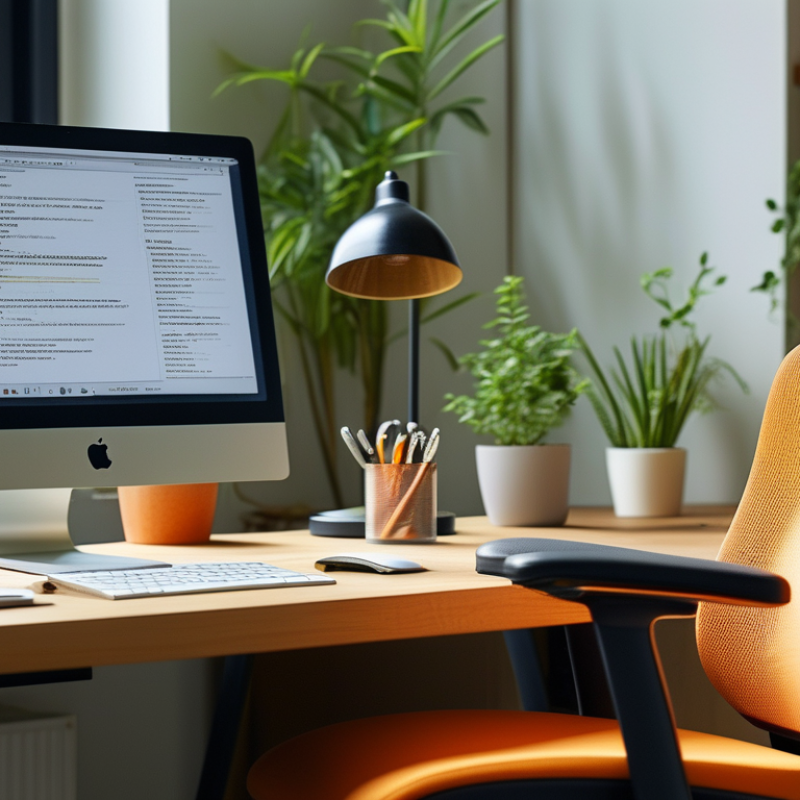
Sitting for long hours can lead to various health issues. Understanding ergonomic principles is essential for office environments. One key principle is the chair design. An adjustable chair supports the lower back. It should encourage a neutral spine position.
Monitor height plays a crucial role. The top of the screen should align with the eyes. This position prevents neck strain. It's important to keep feet flat on the ground. Some desks may not accommodate this, leading to discomfort.
Frequent breaks are vital. Stand up and stretch every hour. These small actions can improve circulation. However, many individuals find it challenging to adhere to this practice. Mindfulness about physical posture throughout the day also requires effort. Adjustments in daily habits can lead to significant improvements over time.
| Ergonomic Requirement | Description | Importance | Recommended Adjustment |
|---|---|---|---|
| Chair Height | The height should allow feet to rest flat on the floor while thighs are parallel to the ground. | Ensures proper posture and reduces strain on the lower back. | Adjust chair to achieve a 90-degree angle at knees. |
| Back Support | The chair should provide lumbar support to maintain the natural curve of the spine. | Keeps the spine aligned and reduces the risk of chronic pain. | Use a chair with adjustable lumbar support. |
| Screen Position | Monitor should be at eye level and about an arm's length away to prevent neck strain. | Reduces eye strain and encourages a neutral neck position. | Use monitor risers or adjustable arms if necessary. |
| Keyboard/Mouse Position | Should be positioned to allow wrists to be straight and hands slightly below elbow level. | Minimizes strain on wrists and promotes proper hand positioning. | Consider using a wrist rest or adjustable keyboard tray. |
| Breaks and Movement | Take regular breaks to stand, stretch, and move to enhance circulation. | Helps mitigate fatigue and muscle tension from prolonged sitting. | Stand or walk every 30-60 minutes during work hours. |
: An adjustable chair supports your lower back. It promotes a neutral spine position, reducing discomfort during long hours.
The top of the monitor should align with your eyes. This position helps prevent neck strain and promotes better posture.
Breaks should occur every 30 to 60 minutes. A brief pause can reduce discomfort and enhance overall focus during work hours.
Your elbows should be at a 90-degree angle when typing. Adjust your chair height to keep your feet flat on the ground.
Poor sitting can lead to discomfort and long-term health problems. Musculoskeletal disorders are common among sedentary workers.
Stand and stretch every hour. Even a quick two-minute walk can significantly improve blood circulation and refresh your mind.
Regularly check your workspace setup. Your body’s needs may change, so adjust your ergonomics as necessary.
Employers should encourage movement and provide reminders. This support can foster a healthier workplace environment.
Workers often lose focus on tasks. This can lead to ignoring physical health needs, resulting in fatigue and stress.
Adapt your workspace according to your body’s signals. Awareness and regular adjustments can lead to a more comfortable environment.
The article titled "What are the ergonomic requirements for long hours of sitting?" explores essential ergonomic principles to enhance comfort and health in office environments. It emphasizes the significance of chair design, particularly lumbar support, which plays a critical role in maintaining proper posture during extended periods of sitting. Additionally, the article outlines the optimal desk height to minimize physical strain and promote a healthier work posture.
Moreover, the discussion includes the importance of break frequency and duration, highlighting industry standards for sitting intervals to alleviate fatigue and reduce ergonomic risks. Ultimately, the article provides evidence on the adverse health effects associated with prolonged sitting, underscoring the need for adherence to ergonomic practices in workplace settings. By addressing these ergonomic requirements, individuals can significantly improve their well-being and productivity while working long hours.

 Vant Furniture